


Whether you're on a Windows or macOS device, understanding your battery’s health can save you from surprise shutdowns and frustrating slowdowns. These smart habits will help boost your laptop battery's life.
How to check battery health on Windows devices
Windows provides a variety of diagnostic tools, from straightforward software reports to in-depth hardware analyses, making it easier to monitor and manage battery performance.
Keep your laptop battery in top shape with these smart tips

The “digital intern” you’ve been waiting for: Automating admin work with Windows Copilot

Every solopreneur and small-business owner knows the struggle of wearing too many hats. One minute, you are the CEO, and 10 minutes later, you’re the administrative assistant trying to fix a sideways scan. Microsoft’s latest feature, Copilot Actions, might be the extra pair of hands you’ve been waiting for.
Keep hackers out: 10 simple ways to secure your Windows PC

Even without being an IT expert, you can improve the security of your Windows PC. From creating stronger passwords to keeping your software up to date, this guide walks you through 10 simple and stress-free ways to boost your Windows security.
Use stronger passwords
Passwords are often the first and easiest target for cybercriminals.
Microsoft’s vision for a more resilient Windows experience

When a faulty update from security firm CrowdStrike caused millions of Windows PCs to crash in 2024, Microsoft sought to answer why so many systems were so fragile. The result: a smarter, more resilient Windows designed to stay online, recover faster, and avoid another mass outage.
Break these bad Windows habits to boost speed and security

Windows PCs are powerful tools, but only if you use them wisely. If you’ve been putting off updates or backups, it’s time for a change. Here are 10 everyday habits that could be holding your PC back and how to swap them out for better practices.
1. Putting off Windows updates
Installing updates might seem like a nuisance, but skipping them leaves your system exposed.
Break these Windows PC habits for peak productivity
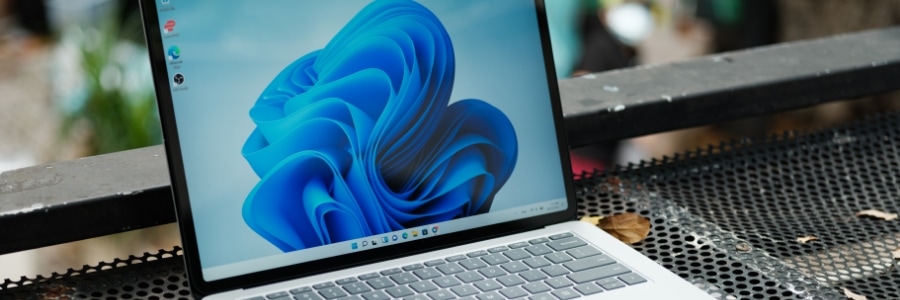
Is your Windows PC slowing your work down? The root cause might not be your computer, but your habits. By breaking free from a few inefficient practices, you can speed up your tasks and streamline your everyday PC use. Here’s a breakdown of 10 common habits that can drag down your Windows experience, and how you can refine them for better speed and efficiency.
Stuck on updating? How to fix common Windows Update failures

Nothing tests your patience quite like the "Checking for updates..." screen on a Windows PC — unless it ends with a failed update message, just to add insult to injury. Windows Update issues are a common headache for many users, interrupting workflow and potentially leaving systems vulnerable.
Windows 10 support ends soon. What should you do now?

The clock is ticking for Windows 10 users, as official support will end in October 2025. But what does this mean for you, and how should you prepare? This guide covers everything you need to know to prepare for the transition.
What happens when Windows 10 support ends?
Your computer won’t suddenly stop functioning after support ends.
Unlock hidden Windows features with PowerToys

Looking to unlock hidden features on Windows? Microsoft PowerToys offers a suite of free utilities that can boost your productivity with powerful tools such as advanced window snapping, batch file renaming, and a lightning-fast search function. This article discusses the latest PowerToys features and shows you how to make the most of them.
5 Steps to limit AI in Windows and your web browsing

Artificial intelligence (AI) has become a key feature in many tools, such as Microsoft’s Copilot in Windows and Google’s AI-powered search responses. Although these innovations are designed to enhance productivity, not everyone finds them beneficial.