


Did you just get the newest MacBook Pro? Or the Lenovo Yoga 920? Either would be very exciting, but before you start showing off your new purchase, there are five steps you should take to make your laptop experience even more enjoyable and long-lasting.
Enjoy an improved laptop experience

Make the most out of old PCs

If your PC has been struggling to perform all the tasks you have at hand, we completely understand why you would be itching for a new one, or even if you’ve already replaced it with the latest model. But even if it’s old, sluggish, and always crashing, your old desktop or laptop may still prove to be useful.
Windows virtualization for Mac use

There are countless reasons to run the Windows operating system (OS) on a Mac computer, but the main one is so you can use apps designed for PC on an Apple machine. However, there are other benefits that make virtualizing Windows on your Mac worth it regardless of your software needs.
What to consider before you buy a new PC

Purchasing a new computer can be a daunting task, especially if you’re not familiar with its components. You’ll want to make sure you make the right choice so you don’t end up buying one that becomes obsolete within just a few years. How much money should you spend? Which model is the best for you? What about the specifications? While there is no fixed formula when it comes to buying a new computer, these guidelines will help you make an informed decision.
Chrome: From HTTP to HTTPS

Within the last year, Chrome has helped users understand that HTTP sites are not secure. More websites use HTTPS, a safer protocol, than ever before. So, how can you benefit from this transition? Find out here.
For several years, Google has moved toward a more secure web by strongly advocating that sites adopt the Secure HyperText Transfer Protocol (HTTPS) encryption.
Virtualization and Windows Server 2019

Microsoft’s Windows Server operating systems are complicated enough to warrant their own certification program. However, small businesses can take full advantage of the features included in the latest version of this software by moving to an outsourced IT support model.
Chrome users panic as new scam spreads

During the previous quarter, fake Chrome notifications urging users to dial a tech support number have grown dramatically. Research reveals that this tech support scam could possibly use an Application Programming Interface (API) to freeze the browser, convincing the user to get in touch with the support line and share their credit card details.
Enhance your new laptop in 5 steps

Laptops may not be the most powerful computers, but the benefits they provide are undisputable. For one thing, they deliver a similar user experience to your huge desktop PC, but much more conveniently and affordably. But before you reap their many benefits, learn five precautionary steps you should take before using them.
Enlist IT help when installing CPU updates
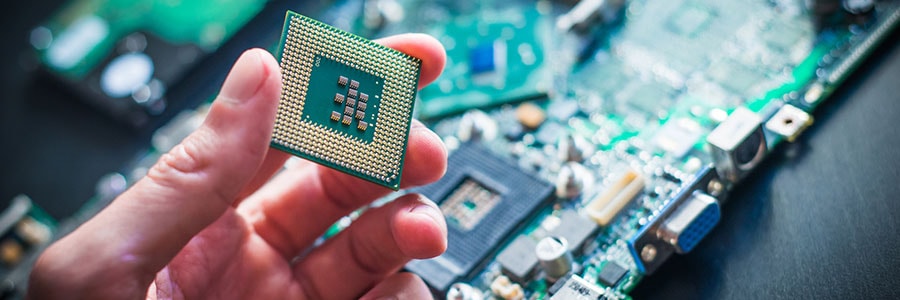
When it comes to security updates, time is usually of the essence. The longer you wait to install a fix from a vendor, the higher the risk of being compromised. But in the cases of the Meltdown and Spectre flaws, you might be better off waiting until a more reliable patch is released.
Virtualization 101: Running Windows on a Mac

If you own an Apple computer, you might think it’s impossible to install Windows-based software on it. But with operating system (OS) virtualization, you can run any application you want and enjoy exciting new cross-platform features.
Configure an entire machine with a few clicks
With programs like VMware and Parallels, installing Microsoft’s OS on your Mac is almost as easy as creating a new document in Office.