


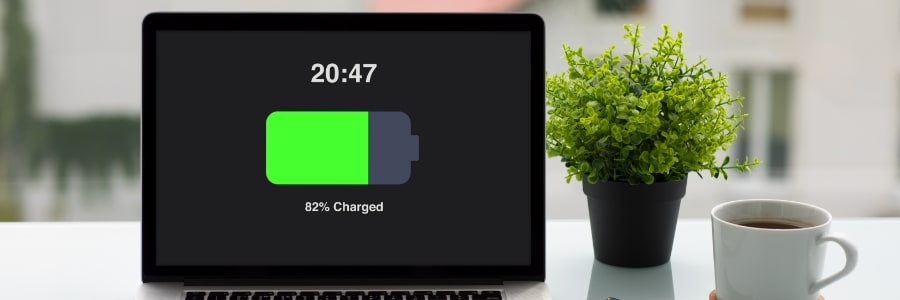
Whether you're on a Windows or macOS device, understanding your battery’s health can save you from surprise shutdowns and frustrating slowdowns. These smart habits will help boost your laptop battery's life.
How to check battery health on Windows devices
Windows provides a variety of diagnostic tools, from straightforward software reports to in-depth hardware analyses, making it easier to monitor and manage battery performance.
Keep your laptop battery in top shape with these smart tips
Important tools to empower your remote workforce

For many, the transition to remote work was a sudden shift, but it’s one that’s likely to continue. To help your employees thrive in their new work environments, providing the right tools and technology is paramount. In this post, we’ll cover everything your remote workforce needs to feel empowered and stay productive while working from home.
8 Energy-saving tips for your PC
It can be difficult to save energy when using your PC daily is a necessity (i.e., for work). For instance, a desktop setup with loudspeakers and a printer, running eight hours a day, consumes close to 600 kWh of power annually. Fortunately, there are several tips you can follow to help reduce your electricity consumption.
Picking the right laptop for remote work

Struggling to choose the right laptop for remote work? You're not alone! With so many options on the market, picking a laptop can feel like a confusing maze. But don’t worry, we'll simplify the selection process by highlighting the essential features you need to consider in order to ensure a smooth and productive workflow, wherever you choose to work from.
How to repurpose your old, sluggish computer
Has your computer been a little sluggish lately? Is it always crashing or freezing? If yes, you may be tempted to go out and buy a new one. But then what do you do with your old PC? Here are five ways to repurpose your old computer instead of getting rid of it.
Windows 11: First things to set up and customize

Microsoft’s Windows 11 operating system offers a number of improvements over Windows 10, including a new Start menu and a more functional Taskbar. If you have just purchased a laptop running on Windows 11, or are planning to upgrade your current device, then you will need to know how to set it up.
Choosing between laptops and desktops for your small business

Small businesses like yours often work on a limited budget. This means you have to carefully consider every purchase you make to get the most bang for your buck. When it comes to computers, for instance, you need to choose between laptops and desktops, and decide which is the better option for your business.
Laptop or desktop: Which is best for your small business?
Running a small business requires making important decisions. One of the biggest decisions you’ll need to make in the early stages of your business is deciding whether to invest in desktop computers or laptops. Here are some considerations to help you decide.
Simple ways to stretch your laptop battery life

One of the top considerations in choosing where to work with your laptop is the availability of a power socket. If you are not lucky enough to find an available outlet, you’ll have to depend on your laptop’s battery — assuming it still has enough power after your last charge.
5 Ways to optimize your new laptop
So you’ve just unboxed your brand new laptop — what do you do next? Before you start using it to surf the internet or finish your tasks for the day, take these steps to optimize its performance and ensure it meets your needs.
1. Update your laptop’s operating system
One of the first things you should do before using your laptop is to update its operating system (OS). Assuming you did not purchase the laptop when it was first released, it will still be running an older OS. Because important patches and fixes are released with each new update, you must install the latest ones to ensure your laptop doesn’t have vulnerabilities that malicious third parties can exploit.