


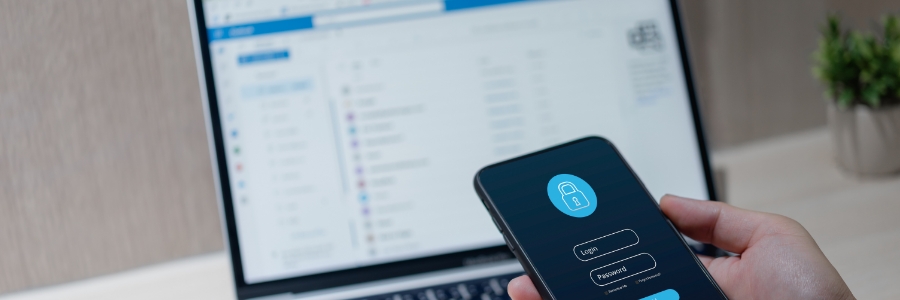
Staying secure online is becoming trickier by the day, especially for small or medium-sized businesses (SMBs). While tools like password managers are designed to protect sensitive information, cybercriminals are now targeting them. A recent study reveals a startling threefold increase in malware targeting password vaults and credential stores over the past year.
Safeguard your SMB from password manager attacks
Unlock hidden Windows features with PowerToys

Looking to unlock hidden features on Windows? Microsoft PowerToys offers a suite of free utilities that can boost your productivity with powerful tools such as advanced window snapping, batch file renaming, and a lightning-fast search function. This article discusses the latest PowerToys features and shows you how to make the most of them.
Keep your web browser secure with these easy tips

Your employees interact with the internet daily, whether conducting searches or using work applications, making them susceptible to cyberthreats like phishing and malware. These risks can have serious consequences for your business and workforce, and they make prioritizing cybersecurity measures for safer browsing crucial.
The future of diagnosis: How AI is catching diseases doctors might miss

Artificial intelligence (AI) is reshaping how we diagnose illnesses, allowing for the early detection of chronic conditions such as osteoporosis, cardiovascular disease, and other issues that might otherwise remain undetected. Let’s take a look at how AI is enhancing the traditional medical imaging process to provide a powerful tool for early diagnosis and intervention.
How to pick the right antivirus software for your SMB

When running a small or medium-sized business (SMB), security should never be an afterthought. With cyberattacks becoming more advanced, having reliable antivirus software is one of the most effective ways to protect your sensitive data. However, choosing the right antivirus software isn’t as simple as picking the first one you come across.
Reduce IT spending with thin and zero clients

Is your IT budget eating into your company’s profits? Traditional desktop setups come with hidden costs that add up over time. Fortunately, businesses can significantly reduce expenses by switching to thin and zero clients.
What are thin and zero clients?
Thin and zero clients are lightweight computing solutions designed to replace traditional desktops in a virtualized environment.
Video conferencing gives businesses a competitive edge in the hybrid era

Effective collaboration is essential in business, and for hybrid teams, video conferencing has become a mission-critical tool for collaborating. However, businesses seeking a competitive advantage must go beyond simply providing video and audio to facilitate collaboration.
Why you need to leverage BI for competitive advantage

The modern business environment demands agility and insight, and business intelligence (BI) provides both. Using BI tools, organizations can track performance metrics, identify inefficiencies, and refine their strategies. In this article, we explore how with the right data at their fingertips, your business can improve strategic planning, mitigate risks, and enhance overall customer satisfaction.
Think like a scammer to spot social engineering tricks

Ever wondered how scammers manage to trick so many people? It’s because they’re masters of persuasion. While their methods may vary, social engineering tactics all focus on one thing: manipulating human behavior to steal personal data or corporate secrets.
5 Steps to limit AI in Windows and your web browsing

Artificial intelligence (AI) has become a key feature in many tools, such as Microsoft’s Copilot in Windows and Google’s AI-powered search responses. Although these innovations are designed to enhance productivity, not everyone finds them beneficial.