


Amidst the current climate of malware, hacks, and phishing scams, companies must take precautions when accessing the internet. Without safeguards, browsers that you or your employees use are vulnerable to cyberattacks that may cripple productivity and profit.
3 Ways to browse the net safely at work
5 Ways systems can be breached

When it comes to business IT security, many small- to medium-sized businesses (SMBs) often struggle to protect their systems from various cyberattacks. While there are many things you can do to secure your IT infrastructure, being aware of common security threats will really help.
Virtualization myths and why you shouldn’t believe them

The intricacies of business technology are not the easiest to understand. Complicated explanations usually lead to misunderstandings, and this is especially true for virtualization. Here are four myths you may have heard about virtualization that you shouldn’t take as facts.
Safeguarding your social media from hackers
Social media phishing is on the rise. Facebook is one of the most commonly impersonated brands in phishing attacks. Hackers now employ more sophisticated tactics, so you must strengthen your privacy settings to keep them away.
Lock screens exist for a reason
Lock all your computing devices as soon as you stop using them.
Tips and tricks to prevent watering hole attacks
Hackers are getting creative nowadays with their illicit activities, which means the onus is on computer users to take steps to protect their computers. The first step to staying ahead of the game is by learning more about cyberattacks. Here are some pointers to help you deal with oneway criminals steal data: watering hole attacks.
5 Tips for securing your email account
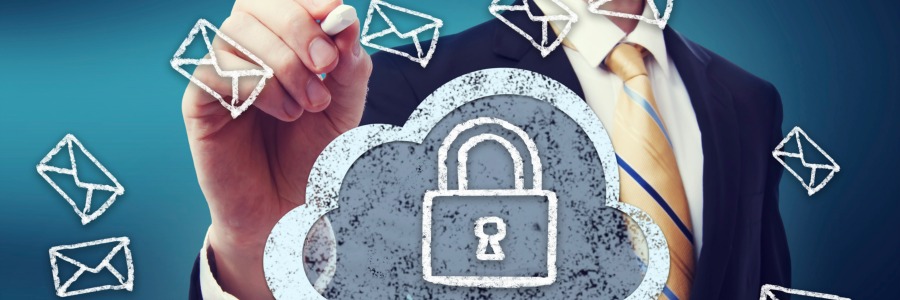
Email is one of the best things the internet has made possible. We use email to signup for websites, apply for jobs, make payments, and many more. But email users also run the risk of account hijacking, malware attacks, and other cyberthreats. To secure your emails, follow these crucial tips.
Guarding your company’s data
Some of the most well-known companies in the world have been victims of cyberattacks, including Sony Pictures, Home Depot, Adobe, and eBay. While major corporations are high-profile targets for hackers, small- and medium-sized businesses are not exempt, so they need to secure their networks and data.
Get ahead of cybersecurity with these basic IT terms

If you just called a malware a “virus,” then you are definitely being left behind in digital talk. Knowing a few IT things here and there not only enables you to have some rapport with your tech-savvy colleagues, but it also helps you have a better understanding of some basic IT know-how.
Protection through browser extensions
In these times of internet fraud, phishing scams, and high-profile hacks, you can never be too careful. Even if you think you have enough precautions in place, it always helps to take another look at your online safety. Here are some browser extensions you can add to improve your online security.
Two excellent ways to verify user identity
To keep your network safe from cybercriminals, your first line of defense should be a secure login process. When it comes to verifying user identity, you can choose between two-step authentication and two-factor authentication. Know more about the difference between the two, so you can have a better appreciation of your cybersecurity options.