


If you're a Windows user, you're no stranger to those inconvenient features and menus that ruin your computing experience. From noisy widgets to an over-enthusiastic taskbar, these features sometimes seem like a concerted effort to interrupt your workflow.
How to kick Windows annoyances to the curb for a zen computing life

Windows 11 setup checklist: What to do after installation
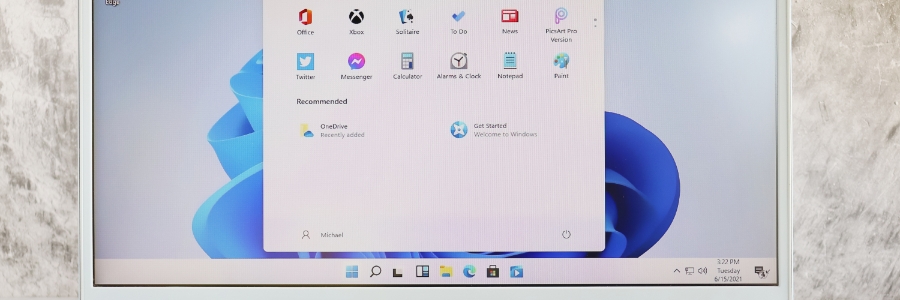
When you first install Microsoft Windows 11, its default settings might not be optimized according to your preferences. This can have a negative impact on user experience and productivity. Here are some tips to ensure you get the most out of Windows 11.
Remove crapware
Like its predecessor, Windows 11 generates revenue for Microsoft through the inclusion of shortcuts on the Start menu during every new installation.
Keep your data safe with Windows 10’s built-in backup features

Businesses rely on computers for their daily operations, so succumbing to a ransomware attack is devastating. Ransomware blocks access to all data, which can result in financial losses and the company closing down temporarily or permanently. Windows 10 offers built-in tools and cloud storage options so you can come out on the other side of a ransomware attack or data loss incident relatively unscathed.
Get Windows 10’s November 2019 Update now

With the Windows 10 November 2019 Update, your desktop or laptop will get some small but important tweaks to its systems. If you haven’t already, install the latest update to start enjoying the latest performance-enhancing improvements to Windows 10.
Also known as Windows 10 version 1909 or 19H2, the Windows 10 November 2019 Update can be installed by heading to Settings > Update & Security > Windows Update.
Windows 10 tools for backing up files
Ransomware attacks are in the news again. Thankfully, business owners are becoming more aware of the damaging effects of malicious software. Companies now realize that without safe and reliable data backup, important business information can fall into the wrong hands or be lost forever.
An ad-free Windows 10 with File Explorer

No matter what version of Windows you’ve got—the free upgrade, the licensed OS, or the Professional version—you will see ads and notifications. Though at times helpful, they can get tiresome. You can’t even manage your own files in File Explorer without seeing one.
Top features in Windows 10 May 2019 Update
The first major Windows 10 update in 2019 started rolling out in late May, and it is packed with a raft of tools and apps to enhance user experience as well as productivity and efficiency. Here are some of the most notable changes that come with the update.
Save space with OneDrive’s new feature

Good news for OneDrive users: When your local storage has run out of space, you’ll no longer have to waste time and energy going through all your stored files, reorganizing and deleting some of them in order to get a few megabytes back. OneDrive Files On-Demand has a solution for you.