


Just like its predecessors, Windows 10 is designed to provide a personalized experience to its users. It offers many ways in which you can change your PC’s interface — how it looks, and even how it can be accessed. Here are some Windows 10 customization features you have to try.
Personalize your Windows PC with these tips
New Microsoft Edge features that will make you want to switch browsers

The latest iteration of Windows’s default web browser was built from the ground up using the same code as Google Chrome. It’s a similar yet entirely different browser that offers faster loading times, improved security and support, and better compatibility with websites and extensions, among other outstanding features.
4 Tips to boost your Windows 10 PC’s speed
New computers are anything but cheap. For this reason, just because your current Windows 10 computer is taking longer than normal to perform simple tasks doesn’t mean it’s time to buy a new one. Here are four tips to speed up your computer without spending a single dime:
Prevent programs from launching at startup
Windows makes certain programs readily available by loading them at startup.
A guide to disabling Windows 10’s invasive settings
Do you feel like your online activity is being spied on? That’s because it probably is — but not by cybercriminals as you might think. It’s more likely that it’s your operating system that’s doing the spying and giving away information about you.
Is Windows 10 blocking the latest update on your PC?
May 2020 Update, the newest iteration of Windows 10, has been released to the public. However, some systems were found to be having some issues with the latest version, prompting Microsoft to block its installation on some devices. If your PCs are affected, here’s what you need to do.
An overview of the May 2020 Windows 10 update
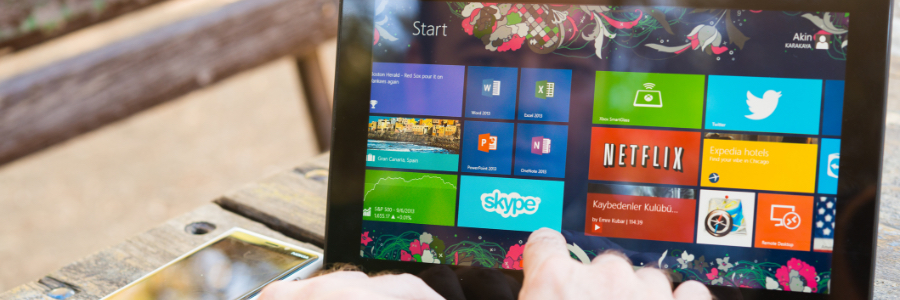
Microsoft keeps to its commitment to innovation, function, and form with its latest iteration of Windows 10, coming out in the last week of May 2020. Security patches and critical system updates come as standard, but users can also expect quite a few more changes to the operating system.
Another Windows 10 update, another raft of issues
It’s the update season for Windows 10 users. Although it’s normal for us to experience an uptick in support requests during these periods, things are looking worse than normal this time around. That’s because Microsoft’s most recent operating system update has caused data loss for some users.
Ways to download and install Windows 10
Microsoft is making it easy for any user to download Windows 10 from its website. This is helpful for those who want to burn it to a DVD for future use, upgrade compatible PCs, and install a clean copy. In this post, we will walk you through the different methods of downloading and installing Windows 10.
Method 1: Download Windows 10 from Microsoft’s website
The Media Creation tool makes it easy for you to download the Windows 10 ISO file for future use, or for saving to a DVD or USB flash drive as an installer.
FAQs about bloatware and how to remove them

Ever powered up a brand new laptop straight out of the box and realized that there are already a ton of apps installed that you know you’ll never use? That’s bloatware, and it’s a regular occurrence when purchasing new computers.
Superfish
In mid-2014, Lenovo users noticed that something was awry with their web browsers: banner ads were breaking webpage layouts and pop-ups were making surfing unpleasant.
Microsoft adjusts how Windows 10 is updated

Having problems with your Windows 10 updates? Perhaps they’re incompatible with your latest driver update. To prevent such issues from happening, Microsoft has changed the Windows 10 update system.
First, let’s distinguish between driver updates and operating system (OS) updates:
Driver updates – A driver is software that allows your computer’s OS to communicate with various hardware devices connected to your computer.