


Keyboard shortcuts are great for saving time and improving productivity. From running commands to navigating through multiple window layouts, here are essential Windows 11 keyboard shortcuts you should know.
General Windows 11 shortcuts
These shortcuts are for general functions, such as copy, cut, paste, and more.
Useful Windows 11 keyboard shortcuts you should know about

Strengthen your Facebook and Twitter privacy with these tips

Hackers are always looking for new ways to gain access to people’s personal information. This is why it’s crucial to take steps to safeguard your social media accounts. In this blog post, we will discuss some of the best ways to protect your online privacy while using Facebook and Twitter.
Work from home exercises to help you stay fit

Commuting to work and walking around the office to talk to coworkers helps burn calories throughout the day. But when you’re working from home, the amount of physical activity you do tends to be much less, which can negatively impact your physical and mental well-being.
Are you cooling your servers the right way?

Did you know that servers require a specific operating temperature range to operate? If they exceed this range, their reliability and performance can be greatly reduced. This is why it’s important to keep your servers cool, especially in the summer months when temperatures are high.
Improve your Google Chrome experience with these extensions
Google Chrome is one of the most popular web browsers today for a number of reasons. For starters, it is stable and well designed, making navigating the web easy and simple. And secondly, Chrome is highly customizable -- it offers a vast library of extensions that can enhance the way you use it.
How automation can transform your marketing processes

It can be challenging for small- and medium-sized businesses (SMBs) with limited resources to get their marketing efforts off the ground. Fortunately, with marketing automation, SMBs can streamline repetitive processes and establish more cost-effective marketing campaigns.
Use this Windows 10 feature to back up and restore your data
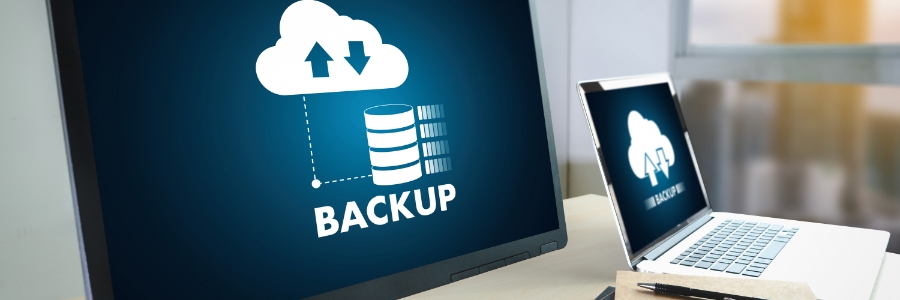
Backing up the data on your Windows 10 PC should be done regularly, as doing so allows you to restore and recover important files in case of a disaster. Unfortunately, many users fail to back up their data until it’s too late. This article will guide you through the process of backing up and restoring your data in Windows 10.
Setting up File History in Windows 10
File History is a Windows feature that allows you to create scheduled backups of your data on a removable storage device (e.g., external hard drive, flash drive). To set up File History, click Start > Settings > Update & Security > Backup > Back up using File History > Add a drive.
The three kinds of hackers every business should watch out for

Hackers come from all different backgrounds. Some hackers are motivated by money and politics, while others simply hack systems for fun. In this blog post, we will define the three kinds of hackers and how each one differs from the others.
A complicated history
In the 1950s, the term “hacker” was vaguely defined as someone who explored the details and limits of computer technology by testing them for a variety of purposes.
Storage drives: HDD and SSD explained

If you’re in the market for a new computer or laptop, you may be given a choice to configure your system with either a hard disk drive (HDD) or a solid state drive (SSD). Both drives store data but work in different ways. In this blog post, we’ll discuss their differences so you can determine which one is right for you.
Data backup solutions your business should use

Data loss, whether caused by equipment failure, human error, natural disasters, disgruntled employees, or cyberattacks, is a major threat to your business. If you’re not prepared, losing sensitive data can bring your business to a grinding halt. Fortunately, the following backup solutions can help prevent such a scenario.