


With every new update, Windows 11 brings a range of new features and enhancements to improve user experience. However, it also introduces some disruptive settings that may not align with everyone's preferences. To help you with this issue, we’ll discuss these settings in Windows 11 and provide step-by-step instructions on how to disable them.
Improving productivity: How to disable disruptive Windows 11 settings

Essential insights on distributed spam distraction

Distributed spam distraction (DSD) is a cyberattack that has gained prominence in recent times. By diverting attention through a coordinated network of distractions, attackers seek to exploit vital information from individuals and organizations. This article contains vital information that will shed light on the world of DSD and equip you with the knowledge you need to protect yourself against it.
Questions to consider before replacing your servers

When it comes to replacing your company’s servers, you should review aspects of your existing server infrastructure and consider the implications of the upgrade. Answering questions related to reliability, performance, security, and scalability will allow you to make the right decisions and ensure the upgrade aligns with your company’s long-term goals.
Simple speed hacks to boost your Chrome browser

Google Chrome is the go-to browser for many users because of its user-friendly interface and robust features. However, some users have reported that Chrome can be slow and unresponsive, making it frustrating to use at times. If you've experienced such issues, don't worry, as there are several speed hacks that can help you speed up Chrome's performance.
Why every SMB needs a business continuity plan: Protecting your company from unexpected disruptions

Small- and medium-sized businesses (SMBs) often operate with limited resources, making them particularly vulnerable to disruptions caused by unexpected events. While larger companies may have dedicated departments and resources to handle crises, SMBs often lack these luxuries.
Windows Hello: Making logins faster and more secure in Windows 11

Are you tired of having to type in your password every time you log in to your Windows 11 computer? Windows Hello is a feature that uses biometric authentication methods to make logging in to your device more convenient and secure. Windows Hello eliminates the need for passwords and streamlines the login process.
How to enhance your company’s BYOD security
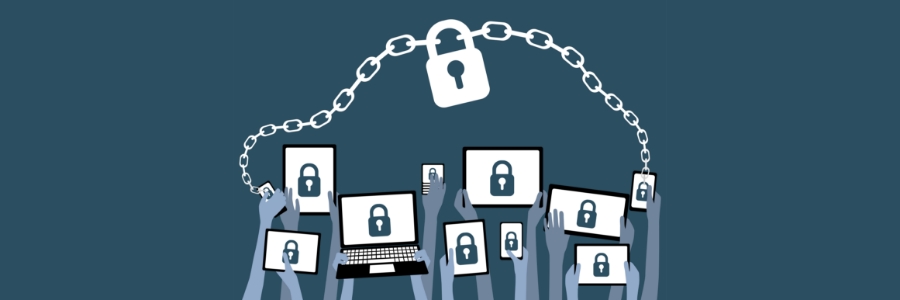
Bring your own device (BYOD) is a trend that has grown in popularity because of the convenience it offers employees, but it also presents a serious security risk. If an employee's personal device is not appropriately secured, it can become a potential entry point for attackers to gain access to sensitive corporate information.
Ways online scheduling can help healthcare organizations

Healthcare organizations face a unique set of challenges when it comes to managing patient appointments. From scheduling conflicts to last-minute cancellations, managing appointments can be a time-consuming and frustrating task for both patients and healthcare providers.
Fix network problems with these easy tips

Most of us have experienced the frustration of dealing with network problems. These errors can appear on screen or linger in the background, causing interference with the internet connection. In this article, we will explore some of the most prevalent network errors and provide solutions for fixing them.
Cloud ERP: Streamlining your business operations in the digital age

The cloud has revolutionized the world of enterprise resource planning (ERP), enabling companies to access their ERP software and data from any location with an internet connection. This has made it possible for businesses of all sizes to leverage advanced ERP capabilities and features without requiring on-site hardware or IT resources.